Introduction
I am setting up another Proxmox server and making a cluster with my current one. I will then install and setup Proxmox Data Center to have a dashboard to view my Proxmox environment.
Setting up the Cluster
Main Node Configuration
On the main node, create the cluster with the command:
pvecm create homelab
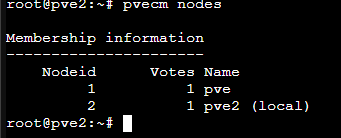
Fig 1: Creating the Proxmox Cluster
Check cluster status:
pvecm status
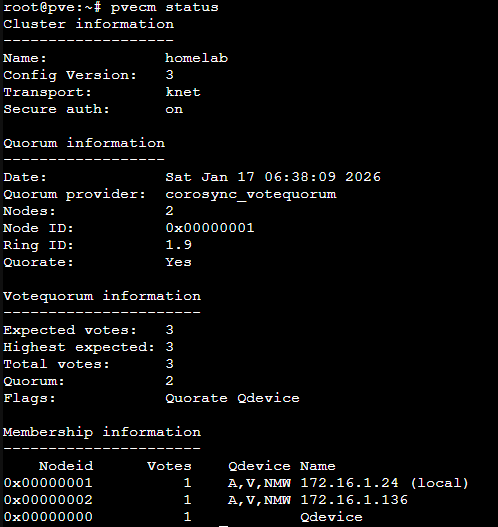
Fig 2: Primary node status
Node 2 Configuration
Join node 2 to the cluster (replace IP with primary node's IP):
pvecm add 172.16.1.24
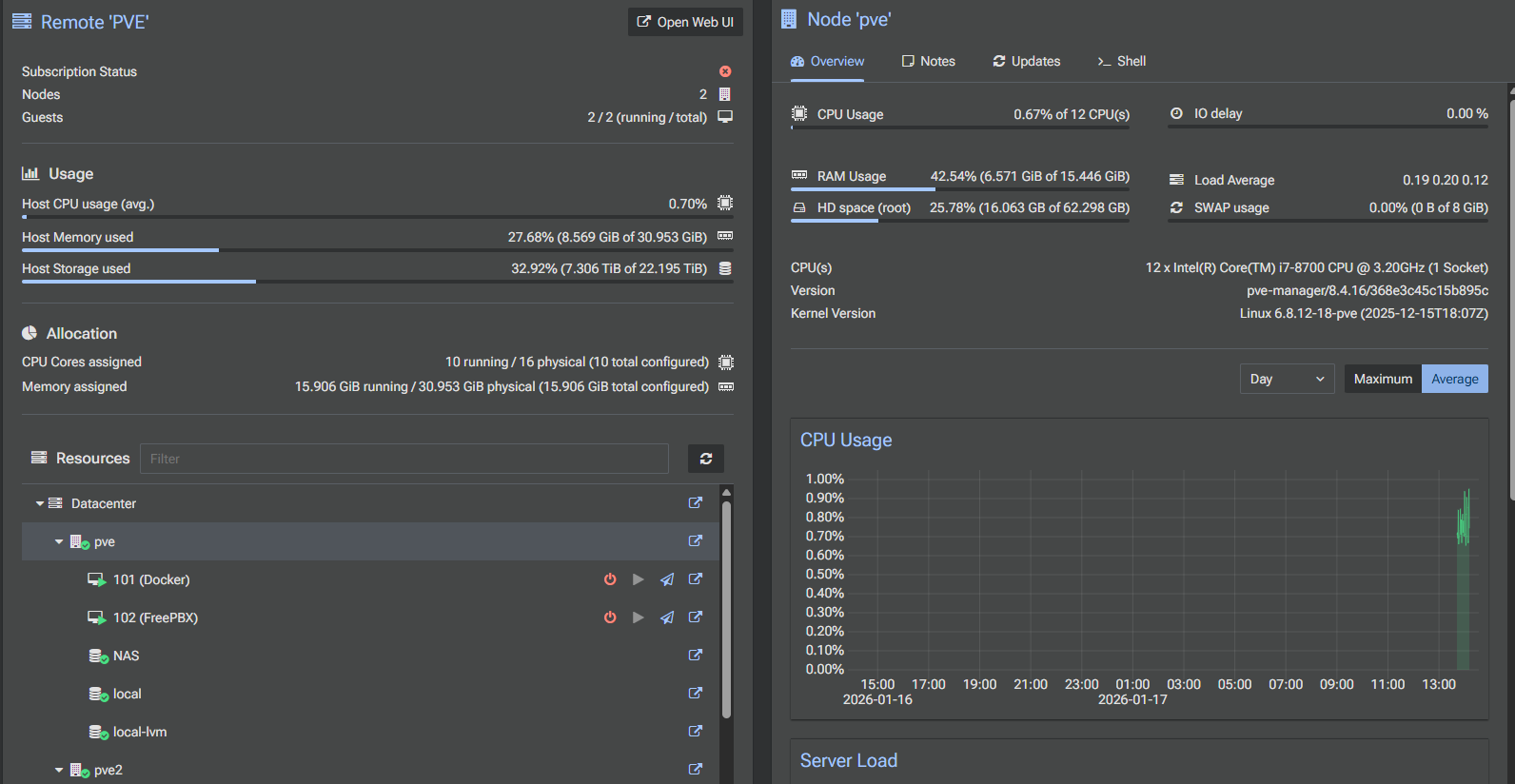
Fig 3: Node 2 added to cluster
Verify nodes:
pvecm nodes
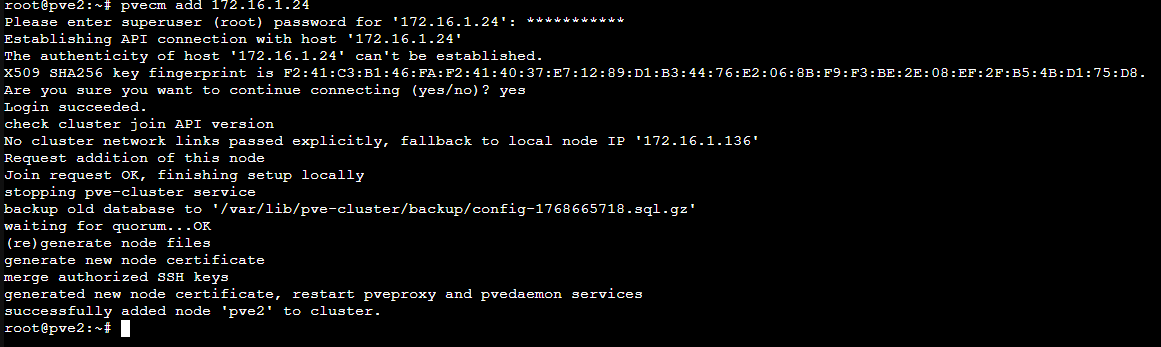
Fig 4: Cluster nodes listing
QDevice Setup
With only 2 nodes, you need a QDevice to maintain quorum if one node fails. This can be a small VM, Raspberry Pi, or another system.
- Cores: 1
- RAM: 1 GB
- Storage: 6 GB
- OS: Debian 12
Configuration Steps
Set a static IP for the QDevice:
nano /etc/network/interfaces

Fig 5: Configuring static IP
Install corosync on QDevice:
apt install corosync-qnetd -y
Adjust SSH settings for root login and password authentication:
PermitRootLogin yes
PasswordAuthentication yes
Install corosync qdevice on both Proxmox nodes:
apt install corosync-qdevice -y
Setup QDevice on one node:
pvecm qdevice setup 172.16.1.50
Verify quorum:
pvecm status
Fig 6: Cluster status showing quorum
Proxmox Web UI Overview
View your nodes in the web UI:
Fig 7: Nodes visible in Proxmox web interface
Data Center Manager Setup
Download Proxmox Data Center Manager: Download
Installation
- Cores: 2
- RAM: 4 GB
- Disk: 40 GB
- OS: Proxmox DCM
Access DCM at: http://your-ip:8443
Linking with Cluster
In DCM: Remotes → Add → Proxmox VE. Enter server IP and port.
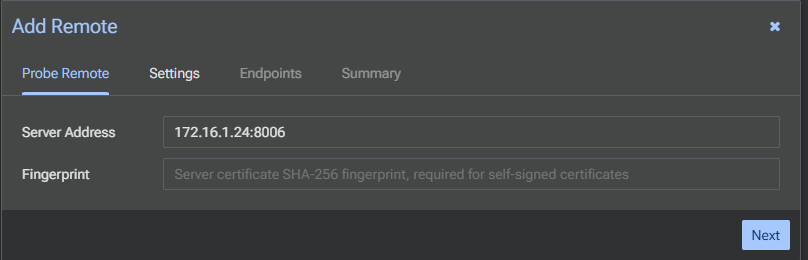
Fig 8: Adding Proxmox remote
Creating and Using API Token
Generate token on primary node (Datacenter → Permissions → API Tokens → Add):
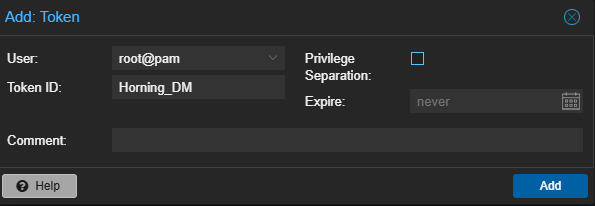
Fig 9: Creating API token
Copy Token ID and Secret into DCM remote setup:
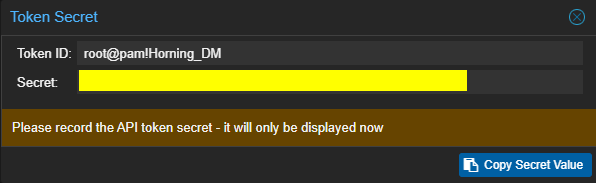
Fig 10: Token credentials
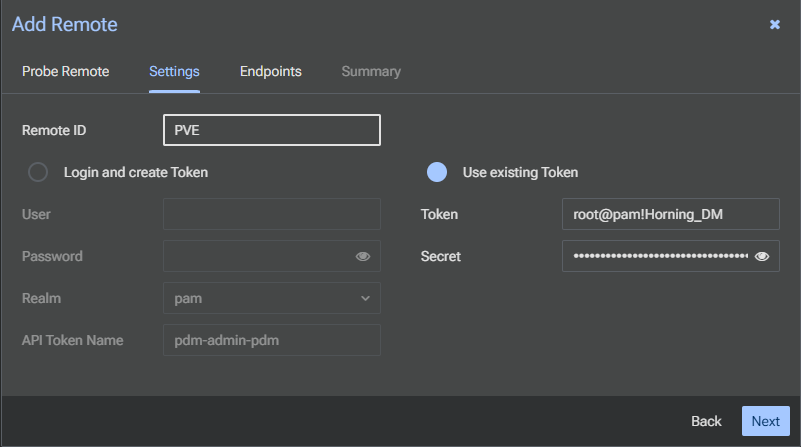
Fig 11: Configuring remote in DCM
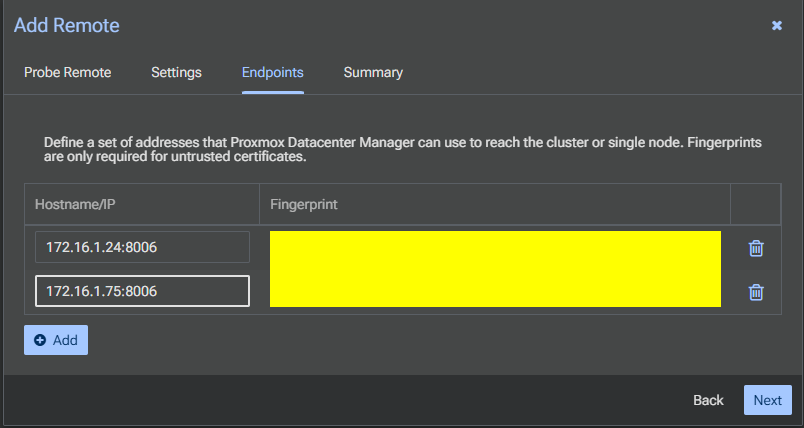
Fig 12: Summary of remote setup
Accessing Dashboard
View cluster information in DCM dashboard:
Fig 13: Data Center Manager dashboard